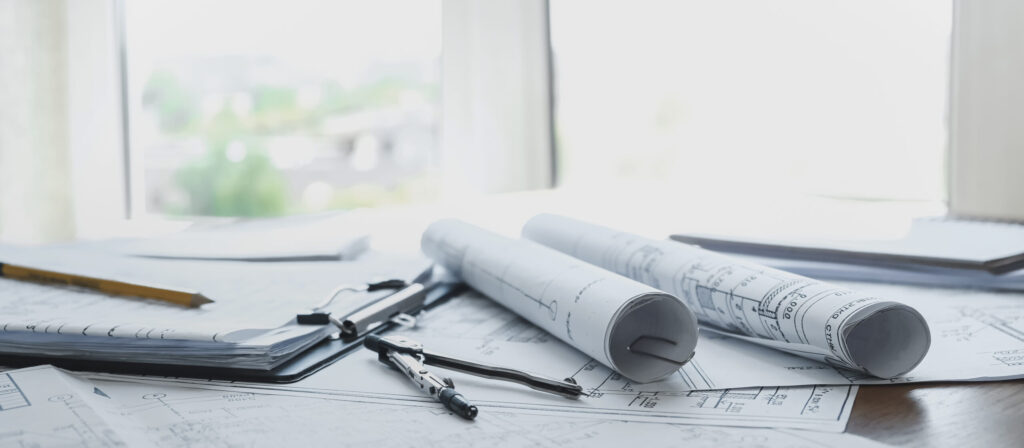
Bulk blueprint scanning: Our bulk blueprint scanning service delivers expert results.

Managing large archives of blueprints and technical drawings can be overwhelming. Whether you’re dealing with decades of paper documents or transitioning to a digital-first operation, bulk blueprint scanning is the solution that transforms how you access and share critical project information. At RK Reprographics, we help organizations tackle their biggest document challenges with efficient, large-scale scanning services that preserve quality while handling volume.
In this guide, we’ll walk you through the bulk blueprint scanning process, the technology behind it, and how to choose the right approach for your organization’s unique needs.
Why Bulk Blueprint Scanning Matters for Large Archives
Paper blueprints deteriorate over time. Exposure to sunlight, humidity, and handling causes fading, brittleness, and potential information loss. When you’re responsible for hundreds or thousands of drawings—as many construction firms, engineering companies, and facilities managers are—the risk becomes exponential. Bulk blueprint scanning addresses this challenge by creating permanent digital records that don’t degrade.
Our experience at RK Reprographics shows that organizations handling bulk blueprint scanning gain immediate benefits: reduced physical storage costs, faster document retrieval, improved collaboration capabilities, and enhanced project continuity. Teams working across multiple locations can access the same blueprint simultaneously, eliminating delays caused by physical document transfers.
Planning Your Bulk Scanning Project
Before initiating bulk blueprint scanning, strategic planning ensures efficiency and cost-effectiveness. Start by inventorying your collection. Know how many documents you have, their sizes, and their condition. This information drives equipment selection, timeline estimation, and resource allocation.
Document Assessment – Categorize blueprints by size (24×36 vs. 36×48), color vs. black-and-white, and condition
Prioritization Strategy – Identify which documents your teams access most frequently for priority scanning
Quality Standards – Define acceptable resolution and file format requirements for your industry
Naming Convention – Establish consistent file naming and folder structure before scanning begins
At RK Reprographics, we help clients develop scanning roadmaps that balance speed, cost, and quality. We’ve found that organizations which invest time in planning see 30-40% improvements in project efficiency.
Equipment and Technology for Bulk Scanning
Bulk blueprint scanning requires specialized equipment designed for volume and precision. Standard office scanners simply won’t handle the workload or produce the quality technical drawings demand.
Wide-Format Scanners – Handle blueprints up to 36 inches wide, capturing full details without sections
Document Feeders – Automate the scanning process for smaller documents, increasing throughput
High-Resolution Sensors – 600-1200 DPI scanners preserve detail critical for construction and engineering work
Color Scanning – Preserve marked-up blueprints, red-lined revisions, and color-coded annotations
Our scanning infrastructure at RK Reprographics includes enterprise-grade wide-format scanners and automated document handling systems. This technology enables us to process thousands of blueprints monthly while maintaining consistent quality standards.
File Format and Organization Strategies
Creating digital blueprints is only half the challenge—organizing them for long-term accessibility matters equally. We recommend establishing clear file structure before bulk scanning begins.
PDF Format – Universal, preserves quality, searchable with OCR when appropriate
TIFF Format – Lossless compression ideal for long-term archival of technical drawings
Folder Hierarchy – Organize by project, date, discipline, or location—choose the system that matches your workflow
Metadata Tagging – Include project codes, revision numbers, and dates for easier searchability
We advise clients to consider implementing metadata standards that allow integration with project management software. This transforms bulk-scanned blueprints from passive archives into active project resources.
In-House vs. Professional Bulk Scanning Services
Organizations face a critical decision: develop internal scanning capacity or partner with a professional service like RK Reprographics. Each approach has distinct advantages.
In-House Scanning – Offers complete control and immediate access; requires significant equipment investment and staff training
Professional Services – Provides specialized expertise, faster turnaround, and eliminates capital equipment costs
Hybrid Approach – Many organizations handle ongoing scanning internally while outsourcing large backlog projects
The math often favors outsourcing. A single wide-format scanner represents a significant upfront investment, plus ongoing maintenance, software, and training costs. When you need to scan 10,000+ documents, our professional services typically cost 60% less while delivering faster turnaround and guaranteed quality.
Quality Control During Bulk Scanning
Volume shouldn’t compromise quality. Our bulk blueprint scanning process includes multiple quality checkpoints to ensure every document meets your standards.
Pre-Scan Inspection – Verify document condition and plan for handling fragile or heavily marked originals
Automated Quality Assurance – Scanners detect and flag skewed scans, blank pages, or insufficient resolution
Random Sampling Review – We verify sample documents throughout each batch to maintain consistency
Post-Scan Verification – Confirm file integrity, proper naming, and correct folder organization
At RK Reprographics, we maintain a 99.8% quality rate on bulk scanning projects. Our process catches errors before they become archived problems.
Cost Considerations and ROI
Budget planning for bulk blueprint scanning requires understanding both direct and hidden costs. We help clients make informed decisions about their scanning investments.
Per-Page Scanning Costs – competitive rates depending on size, format, and quality requirements
Volume Discounts – Projects exceeding 10,000 pages typically qualify for 20-35% price reductions
Software and Storage – Budget for document management systems and cloud storage at a predictable monthly subscription rate
Staff Training – Internal staff require training on new systems and workflows
Most organizations recoup their investment within 18-24 months through eliminated physical storage costs, improved productivity, and reduced project delays from document retrieval.
Frequently Asked Questions
More bulk blueprint scanning content.
How long does bulk blueprint scanning typically take?
Timelines depend on volume, document condition, and complexity. We typically process 200-500 blueprints daily. A 5,000-document project usually takes 2-3 weeks from start to final delivery.
Do scanned blueprints require color scanning?
Not always. Black-and-white scanning costs less and processes faster. However, blueprints with color markups, red-line revisions, or color-coded systems benefit from color scanning to preserve all information.
What happens to original blueprints after scanning?
You retain complete ownership. Many clients maintain originals for archival purposes while using scanned versions for daily work. Others destroy originals after verification to free storage space.
Can scanned blueprints be edited in CAD software?
Scanned blueprints create image files. Converting them to editable CAD format requires specialized OCR technology and manual drafting work—a different service than scanning.
How are scanned files secured and backed up?
Professional scanning services include encrypted storage, redundant backups, and secure file transfer. We recommend cloud storage with version control for long-term accessibility and disaster recovery.
Bulk blueprint scanning transforms how organizations manage their document assets. At RK Reprographics, we handle the complexity so you can focus on your projects. Contact us today to discuss how we can digitize your blueprint archive efficiently and affordably.
Professional Scanning Equipment and Technology
Blueprint scanning requires specialized equipment. Standard office scanners can only handle letter or legal size — far smaller than the 24-36 inch drawings common in construction. Professional blueprint scanners use large-format drum or flatbed scanning technology.
At RK Reprographics, we use large-format scanners specifically designed for construction documents. These devices capture fine details, handle oversized originals, and produce output suitable for archival and reprinting. The difference between consumer scanning and professional equipment is dramatic — our scans are sharper, more detailed, and more suitable for long-term use.
Resolution and File Size Optimization
Scanning resolution affects both quality and file size. Higher resolution captures more detail but creates larger files. For most construction documents, 300 DPI provides optimal balance — detailed enough for any future use, while keeping files manageable for storage and transmission.
Some legacy drawings with very fine linework benefit from 600 DPI scanning, though files become very large. Conversely, simple schematic drawings can work well at 150-200 DPI. We assess each document and recommend appropriate settings.
Handling Fragile and Historic Documents
Old blueprints are fragile. Ammonia-based prints are brittle and can tear or crumble if handled improperly. Vellum drawings curl and crack. Rolled plans have been stored rolled for decades and need careful handling to unfold safely.
Our team includes experience handling delicate originals. We know how to safely unfold rolled plans, manage fragile vellum, and scan brittle blueprints without damage. This expertise is valuable when dealing with archival collections where originals are irreplaceable.
Batch Processing and Project Management
Large scanning projects require planning and coordination. We establish clear protocols, prepare batches, track progress, and maintain detailed logs. For thousands of drawings, this systematic approach ensures completeness and quality.
We typically organize work by project, drawing type, or timeline. We number each scan, maintain documentation of what was scanned, note any quality issues, and deliver organized archives. This project management transforms overwhelming paper collections into useful digital assets.
OCR and Text Recognition
Scanned images become truly useful when they’re searchable. OCR (Optical Character Recognition) converts printed text into searchable data embedded in the PDF. This lets you search for drawing titles, drawing numbers, or specific text.
OCR accuracy depends on source quality. Clear, professionally printed text OCRs well. Hand-written annotations, faded text, or text at unusual angles may not OCR perfectly. We use advanced OCR engines and review results to catch major errors.
Cloud Backup and Redundancy
Scanning converts paper into digital files, but digital files need protection. Hard drive failures, accidental deletions, or disasters can destroy digital archives. We recommend implementing backup and redundancy.
We can deliver scanned files to cloud storage services, provide external hard drive backups, or maintain copies in our own secure systems. This redundancy ensures that your investment in scanning is protected.
Access and Retrieval Systems
Having an organized, searchable digital archive is valuable only if team members can actually find what they need. Implementing good organization systems — logical folder structures, consistent naming conventions, metadata tagging — makes retrieval efficient.
We help establish organization systems for scanned archives, ensuring that future team members can find drawings easily. This investment in organization infrastructure dramatically increases the value of your digital collection.
Scanning for ADA Compliance
For public documents, accessibility compliance matters. PDFs with embedded OCR text and proper structure tags are accessible to screen readers used by visually impaired users. Well-organized, properly formatted scanned documents support equal access.
If your organization has accessibility obligations, we can ensure scanned documents meet standards. This adds value beyond simple document preservation — it ensures inclusive access. See our large format printing or contact us. Resources at printing.org.