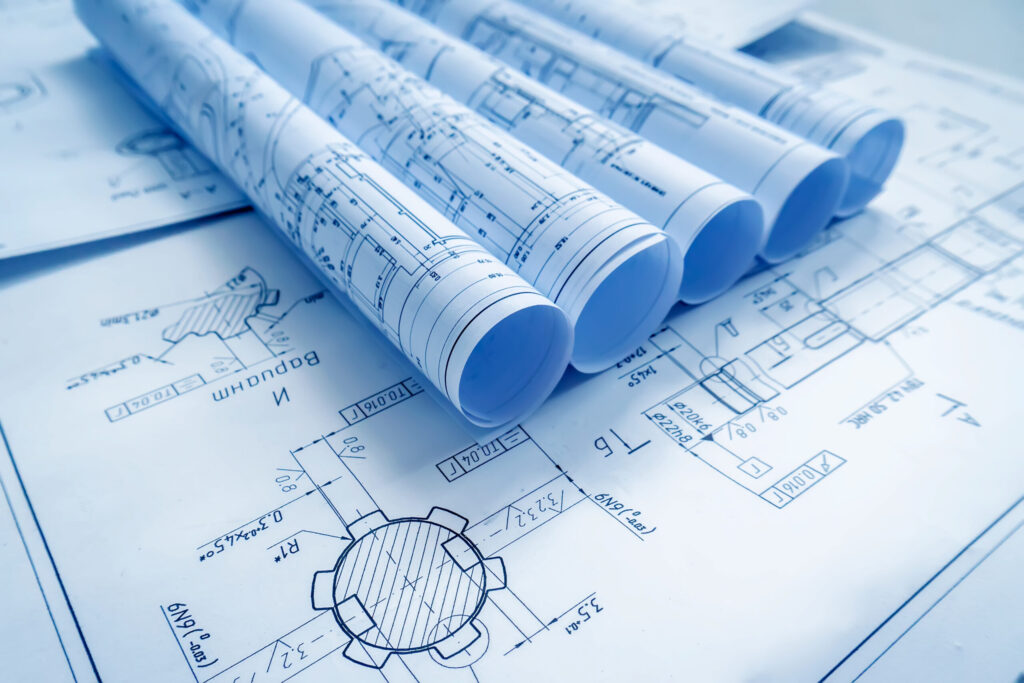
Blueprint scanning is the process of converting physical construction drawings into high-resolution digital files. Using large format scanners capable of handling sheets up to 36″ or 48″ wide, a scanning service captures every line, dimension, and notation on a paper original and produces a digital copy — typically in PDF or TIFF format — that can be stored, shared, and reprinted on demand.
At RK Reprographics, we scan thousands of architectural, engineering, and construction drawings every month. Our clients use scanning to preserve legacy documents, support renovation projects, enable remote collaboration, and reduce the physical storage burden of paper archives.
How Blueprint Scanning Works
The scanning process begins with feeding the original document through a large format scanner. The scanner’s sensor array captures the image at a specified resolution — typically 200 to 400 DPI for line drawings, and up to 600 DPI for documents with fine detail or photographic elements.
Our operators inspect each scan for quality, adjusting brightness and contrast to ensure clean line reproduction. The resulting digital files are organized by project, numbered to match the original sheet order, and delivered to the client via secure download, USB drive, or cloud sharing.
Why Blueprint Scanning Matters
Preservation – Paper originals deteriorate over time. Scanning creates a permanent digital backup that will not fade, tear, or suffer water damage.
Accessibility – Digital files can be shared instantly with project teams, inspectors, and subcontractors anywhere in the world.
Space Savings – A filing cabinet full of rolled drawings can be replaced by a single folder on a server or cloud drive.
Reprinting – Once scanned, a drawing can be reprinted at any time — in the original size or scaled — without handling the fragile original.
Searchability – With OCR processing, text within scanned drawings becomes searchable, making it easier to locate specific sheets or details.
Common Use Cases
Renovation and Retrofit Projects
When an existing building is being renovated, the original construction drawings are essential reference documents. We frequently scan legacy plan sets so that architects and engineers can overlay new designs on top of existing conditions without handling delicate paper originals.
Archival and Records Management
Government agencies, property managers, and long-standing firms often maintain decades of paper drawings. Scanning these archives preserves institutional knowledge and makes it accessible to current and future teams.
Insurance and Legal Documentation
Digital copies of construction documents serve as evidence in insurance claims, code compliance reviews, and legal disputes. Having a high-quality scan on file can save significant time and cost when documentation is requested.
What Types of Documents Can Be Scanned?
Our scanners handle a wide range of construction document types and sizes.
Architectural floor plans, elevations, and sections
Structural, mechanical, electrical, and plumbing drawings
Civil site plans and grading drawings
Survey maps and plats
Specifications and shop drawings
As-built drawings and redline markups
Frequently Asked Questions
What resolution should blueprint scans be?
For most construction drawings, 200–300 DPI provides excellent quality for viewing and reprinting. We recommend 400 DPI for drawings with very fine detail or small text, and 600 DPI for photographic or half-tone content.
Can damaged or faded blueprints be scanned?
Yes. Our operators adjust scanner settings to maximize contrast and capture faded lines. While scanning cannot restore lost information, it can produce a digital copy that is often easier to read than the deteriorated original.
How long does blueprint scanning take?
Turnaround depends on volume and condition. A set of 50 standard sheets can typically be scanned, quality-checked, and delivered within one to two business days. Rush service is available for urgent needs.
Professional Scanning Equipment and Technology
Blueprint scanning requires specialized equipment. Standard office scanners can only handle letter or legal size — far smaller than the 24-36 inch drawings common in construction. Professional blueprint scanners use large-format drum or flatbed scanning technology.
At RK Reprographics, we use large-format scanners specifically designed for construction documents. These devices capture fine details, handle oversized originals, and produce output suitable for archival and reprinting. The difference between consumer scanning and professional equipment is dramatic — our scans are sharper, more detailed, and more suitable for long-term use.
Resolution and File Size Optimization
Scanning resolution affects both quality and file size. Higher resolution captures more detail but creates larger files. For most construction documents, 300 DPI provides optimal balance — detailed enough for any future use, while keeping files manageable for storage and transmission.
Some legacy drawings with very fine linework benefit from 600 DPI scanning, though files become very large. Conversely, simple schematic drawings can work well at 150-200 DPI. We assess each document and recommend appropriate settings.
Handling Fragile and Historic Documents
Old blueprints are fragile. Ammonia-based prints are brittle and can tear or crumble if handled improperly. Vellum drawings curl and crack. Rolled plans have been stored rolled for decades and need careful handling to unfold safely.
Our team includes experience handling delicate originals. We know how to safely unfold rolled plans, manage fragile vellum, and scan brittle blueprints without damage. This expertise is valuable when dealing with archival collections where originals are irreplaceable.
Batch Processing and Project Management
Large scanning projects require planning and coordination. We establish clear protocols, prepare batches, track progress, and maintain detailed logs. For thousands of drawings, this systematic approach ensures completeness and quality.
We typically organize work by project, drawing type, or timeline. We number each scan, maintain documentation of what was scanned, note any quality issues, and deliver organized archives. This project management transforms overwhelming paper collections into useful digital assets.
OCR and Text Recognition
Scanned images become truly useful when they’re searchable. OCR (Optical Character Recognition) converts printed text into searchable data embedded in the PDF. This lets you search for drawing titles, drawing numbers, or specific text.
OCR accuracy depends on source quality. Clear, professionally printed text OCRs well. Hand-written annotations, faded text, or text at unusual angles may not OCR perfectly. We use advanced OCR engines and review results to catch major errors.
Cloud Backup and Redundancy
Scanning converts paper into digital files, but digital files need protection. Hard drive failures, accidental deletions, or disasters can destroy digital archives. We recommend implementing backup and redundancy.
We can deliver scanned files to cloud storage services, provide external hard drive backups, or maintain copies in our own secure systems. This redundancy ensures that your investment in scanning is protected.
Access and Retrieval Systems
Having an organized, searchable digital archive is valuable only if team members can actually find what they need. Implementing good organization systems — logical folder structures, consistent naming conventions, metadata tagging — makes retrieval efficient.
We help establish organization systems for scanned archives, ensuring that future team members can find drawings easily. This investment in organization infrastructure dramatically increases the value of your digital collection.
Scanning for ADA Compliance
For public documents, accessibility compliance matters. PDFs with embedded OCR text and proper structure tags are accessible to screen readers used by visually impaired users. Well-organized, properly formatted scanned documents support equal access.
If your organization has accessibility obligations, we can ensure scanned documents meet standards. This adds value beyond simple document preservation — it ensures inclusive access.
Implementation Best Practices
Successfully implementing the strategies discussed in this article requires careful planning and execution. Start by assessing your current workflow and identifying pain points. What’s taking too long? Where are errors occurring? How could processes be more efficient?
Once you’ve identified key issues, prioritize addressing them. Don’t try to transform everything at once. Focus on the highest-impact improvements first. Quick wins build momentum and demonstrate value, making it easier to gain buy-in for more comprehensive changes.
Training and Change Management
Any process change requires team understanding and buy-in. Invest time training your team on new procedures, new software, or new workflows. Explain the “why” behind changes, not just the “how.” When teams understand the benefits, they’re more likely to adopt new practices.
Expect an adjustment period. Initial adoption will be slower than the steady-state performance you’ll eventually achieve. Be patient with the learning curve and provide support as teams work through implementation.
Measuring Success
Establish clear metrics for evaluating the success of your changes. Is turnaround time faster? Are errors decreasing? Are teams more satisfied with the workflow? Track these metrics before and after implementation so you can objectively assess improvements.
Share results with your team. When people see concrete improvements from new processes, they become advocates for continued adoption and improvement.
Continuous Improvement Culture
The most successful organizations adopt a mindset of continuous improvement. Don’t expect to implement perfect solutions. Instead, implement thoughtful solutions, measure results, gather feedback, and refine.
Encourage your team to suggest improvements. They work in the processes daily and see opportunities that management might miss. Creating a culture where feedback is welcomed and improvements are implemented fosters engagement and better outcomes.
Long-Term Strategic Thinking
While short-term improvements are valuable, also think strategically about where your organization is headed. How will your printing needs evolve as your business grows? What technologies or practices might become important in coming years?
Investing in systems and processes that can scale with your growth prevents the need for disruptive overhauls later. Similarly, staying aware of industry trends helps you anticipate changes and adapt proactively rather than reactively.
Partnership with Your Print Provider
Your print provider should be a partner in your success, not just a vendor. Good providers offer insights about industry best practices, alert you to potential issues before they become problems, and work with you to optimize your printing program.
Communicate openly with your provider. Tell them about your challenges, your goals, and your timeline. The more they understand your business, the better they can support it.
Investing in Excellence
Quality matters. Investing in excellent processes, reliable vendors, and proper training delivers returns through reduced errors, improved efficiency, and better outcomes. Don’t make the mistake of choosing providers solely on price. The cheapest option is often the most expensive in the long run when quality suffers.
By implementing thoughtful strategies and maintaining focus on continuous improvement, you’ll develop a printing program that truly supports your organization’s success. See our large format printing or contact us. Resources at printing.org.