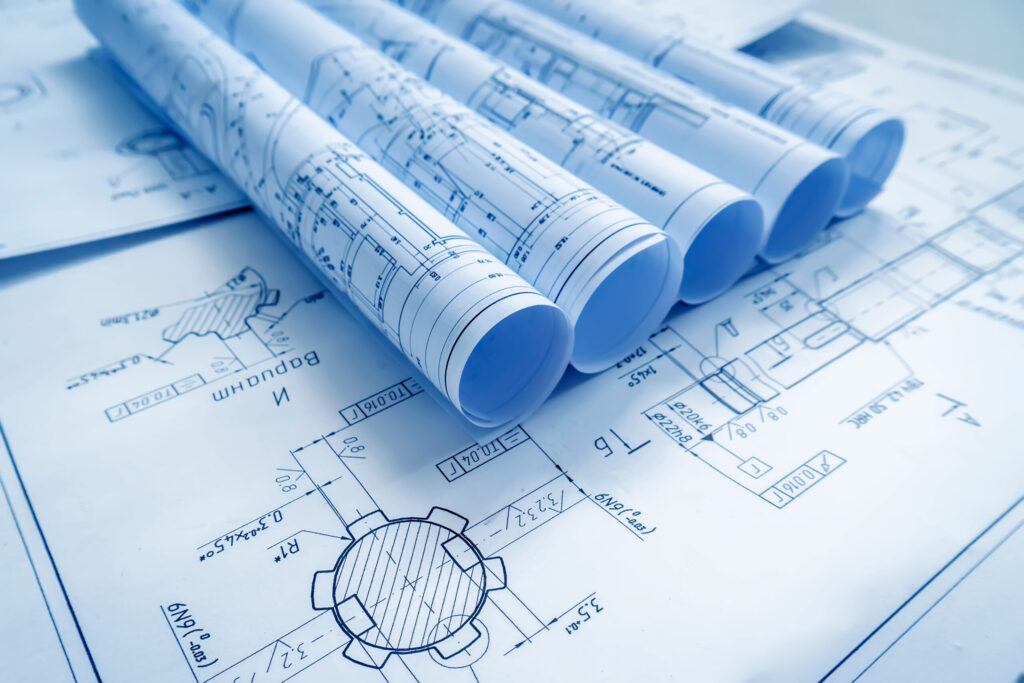
Digital blueprinting is the process of creating, distributing, and printing construction documents using computer-based tools rather than manual drafting. It spans the entire lifecycle of a drawing — from design in CAD or BIM software through electronic file transfer to high-quality large format output.
At RK Reprographics, we sit at the intersection of digital design and physical print. Our clients send us files from AutoCAD, Revit, Civil 3D, and dozens of other platforms, and we produce precise, print-ready plan sets within hours. Understanding the digital blueprinting workflow helps you get better results from every print order.
From Drafting Tables to Digital Files
Traditional blueprinting involved hand-drawn originals, ammonia-based diazo reproduction, and physical distribution of paper sets. The process was slow, messy, and limited in how many copies could be produced.
Digital blueprinting eliminates those constraints. Designers draft in software, export high-resolution PDFs or DWF files, and send them electronically to a print provider. We receive the files, verify quality and scale, and produce as many sets as needed on the media of the client’s choice — all without the chemicals, fumes, or turnaround delays of the old diazo process.
The shift from analog to digital represents a fundamental transformation in how the construction industry operates. While blue diazo prints were the industry standard for decades, digital workflows have become essential for modern firms managing complex projects across distributed teams. This evolution has enabled architecture, engineering, and construction professionals to work faster, collaborate more effectively, and maintain better document control.
How the Digital Blueprint Workflow Works
A typical digital blueprinting workflow follows these steps:
Design & Drafting — Architects, engineers, or designers create drawings in CAD or BIM software such as AutoCAD, Revit, MicroStation, or Civil 3D.
File Export — Finished sheets are plotted to PDF, DWF, or TIFF. PDF is the most widely used format because it locks in fonts, lineweights, and page geometry.
File Transfer — Files are uploaded to the print provider via secure web portal, FTP, email, or cloud-sharing link. We accept uploads through all of these channels.
Preflight & Quality Check — Our team verifies page sizes, scale accuracy, and image resolution before sending files to the plotter.
Printing — Documents are printed on large format inkjet plotters at 300 – 600 DPI on the specified media — bond, vellum, Mylar, or presentation paper.
Finishing & Delivery — Prints are folded, bound, or rolled and delivered to the client’s office, job site, or shipped nationwide.
Why Digital Workflows Matter for Construction Teams
Construction projects depend on clear, accurate documentation. Digital blueprinting ensures that every team member — from the project manager on site to subcontractors across multiple locations — has access to current, approved drawings. Digital workflows eliminate the confusion of working from outdated prints and reduce costly rework caused by drawing discrepancies.
Modern construction teams also benefit from the ability to quickly revise and redistribute updated plans. If a design change occurs mid-project, the affected drawings can be updated, reprinted, and delivered in hours rather than days. This agility is especially valuable on fast-track projects where schedules are tight and changes are common.
Benefits of Digital Blueprinting
Speed — Files can go from designer’s screen to finished print in hours, not days.
Accuracy — Digital files maintain precise scale and dimensioning from screen to paper.
Reproducibility — Any number of copies can be printed from a single source file without quality loss.
Revision Control — Updated files replace previous versions instantly, reducing the risk of outdated prints reaching the field.
Remote Collaboration — Teams across multiple offices and job sites can access the same digital files simultaneously.
Cost Efficiency — Eliminating chemical processing and supporting multiple print runs from a single digital file reduces per-unit costs on larger projects.
Environmental Benefits — Digital workflows reduce chemical waste and paper consumption compared to traditional ammonia-based processes.
Common File Formats in Digital Blueprinting
PDF — The universal standard for blueprint printing. Preserves fonts, lineweights, and page setup across platforms.
DWF / DWFx — Autodesk’s lightweight format for sharing CAD drawings without exposing the native file.
DWG / DXF — Native AutoCAD formats. We can print from these directly, though PDF is preferred for consistency.
TIFF — High-resolution raster format often used for scanned legacy drawings.
PostScript / EPS — Common for specialized printing applications where advanced color management is needed.
When exporting to these formats, it’s important to verify that your file settings match your print specifications. Color profiles, line weights, and page size should all be confirmed before sending files to your print provider. At RK Reprographics, we help clients catch and correct potential issues before printing, saving time and reducing waste.
Why Print Providers Still Matter in a Digital World
Even as construction becomes increasingly digital, the need for physical prints remains strong. Field crews, inspectors, plan rooms, and municipal offices still require paper sets. We help firms bridge the digital and physical worlds — accepting any file format, optimizing output quality, and delivering finished sets wherever they are needed.
Our investment in calibrated plotters, quality-control workflows, and experienced operators means your digital files translate into consistently sharp, accurately scaled physical prints every time. We also understand the nuances of different media — how paper absorbs ink, how vellum handles fold lines, and how Mylar specifications affect print longevity. This expertise ensures that your finished prints are as professional and durable as your digital designs.
The Complete Digital Blueprinting Solution
Successful digital blueprinting requires more than just software and file formats. It requires a reliable partner who understands both the technical requirements of your CAD files and the practical needs of your field teams. From preflight quality checks to same-day delivery options, RK Reprographics supports your workflow at every stage.
We’ve worked with hundreds of architecture firms, engineering companies, and construction contractors across the Philadelphia region and nationwide. We understand the pressures you face: tight deadlines, complex multi-discipline drawings, and the need for documents that are both technically precise and physically durable. Our team combines technical expertise with practical construction knowledge to ensure that every print order meets your exact specifications.
Whether you’re managing a single drawing set or coordinating dozens of plans across multiple project phases, digital blueprinting provides the speed, accuracy, and control that modern construction demands. By choosing a print partner that specializes in construction documents, you can focus on your designs while we ensure your drawings reach your team in perfect condition.
Getting Started with Digital Blueprinting
If you’re ready to streamline your document workflow, the first step is connecting with RK Reprographics. Send us your drawing files, and our team will review them to identify any potential issues — incorrect page sizes, missing fonts, resolution problems, or color profile mismatches. We’ll communicate any corrections needed before printing, ensuring that your finished prints match your expectations exactly. Our goal is to make digital blueprinting as simple and reliable as possible, so you can focus on what you do best: designing and building exceptional projects.
Frequently Asked Questions
Is digital blueprinting the same as digital printing?
Not exactly. Digital printing is a broad term for any printing process that uses digital files. Digital blueprinting specifically refers to the workflow of creating and printing construction documents from CAD or BIM software.
Do I need special software to create digital blueprints?
You need CAD or BIM software to create the drawings — AutoCAD, Revit, and MicroStation are the most common. Once the drawings are exported to PDF, you do not need any special software to send them for printing.
Can you print from any CAD format?
We accept PDF, DWF, DWG, DXF, TIFF, and several other formats. For best results and fewest surprises at print time, we recommend exporting to PDF with embedded fonts and correct page setups.
How fast can we get printed blueprints?
For files received before 2 PM, most standard orders can be completed and shipped the same day. Larger orders or rush requirements should be discussed with our team to confirm availability.
What’s the best way to send large drawing files?
We accept files via secure web portal, FTP, email, or cloud storage links. For files larger than 50 MB, we recommend using our web portal or FTP to ensure reliable transfer. See our large format printing or contact us. Resources at printing.org.